An analysis of exactly how the Sentinel, sentries and meanies act and think
The Sentinel... the sentries... the meanies... they are coming after you, and they're unrelenting.
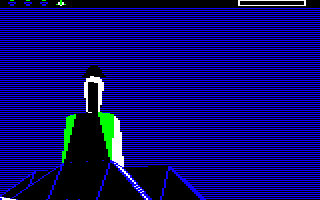
It starts with a quiet "chug" sound as they rotate to a new scanning position. And then another "chug". But it's OK, you're busy creating boulder stacks and absorbing trees and basking under the clear blue sky. It's tranquil. It's almost relaxing.
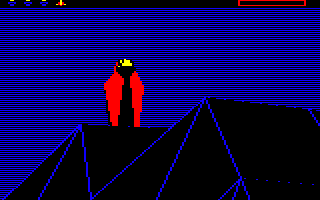
And then suddenly the scanner sound kicks in and you jump out of your skin and into a frantic race to get away, anywhere, just not here. They've found you...
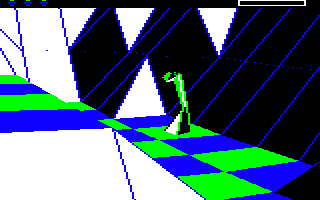
This is where the game really hits the fear spot: it genuinely feels like one of those nightmares where you're desperately trying to get away from a looming monster but your feet are glued to the ground. The letterbox viewport doesn't help, and neither does the fact that most of the time you have no idea where your attacker is, but for me it's the sound and the static of the scanner that triggers the fear.
But as Sun Tzu wrote in The Art of War, "know your enemy", so let's take a detailed look at exactly how our robotic overlords behave, in the hope that it will make life a little easier for us minions.
Don't hold your breath, though... these enemies are made of complicated stuff.
Tactics overview
----------------
There's a lot of detail in this article, so if you want to cut to the chase, here's a high-level view of how the game applies tactics to each individual enemy (i.e. the Sentinel or a sentry). This process is run individually on each enemy in turn, with one enemy being processed on each iteration of the gameplay loop, so "abort" in the following effectively means "wait until the next time tactics are applied to this enemy".
- If the enemy's tactic timer is still counting down, abort.
- The enemy's tactic timer has counted down, so we now apply tactics to this enemy.
- Reset the enemy's tactic timer to 0.24 seconds, so we don't reapply tactics to this enemy for at least this long.
- If the enemy has previously turned a tree into a meanie, then:
- If the meanie's target is no longer valid (e.g. the player has transferred to another robot, or the meanie has found the player but can no longer see the player's tile), then change the meanie back into a tree and abort.
- If the meanie hasn't yet found the player, rotate the meanie by one step in the direction of the player, set the enemy's tactic timer to 0.6 seconds and abort.
- The meanie has found the player and can see the player's tile, so force the player into hyperspace and abort.
- If the enemy has any stored energy from objects it has previously drained, try to expend the energy onto the landscape by spawning a tree. If the spawning is successful, abort.
- If a previous tactics loop discovered that the enemy can't see the player, then look for a non-robot object to drain (e.g. a tree on top of a stack, an exposed boulder, and so on). If we find one, drain one point from it, update the screen, set the enemy's tactic timer to 1.8 seconds and abort.
- If the enemy is already targeting a robot, try to drain it as follows. First, wait for 7.14 seconds across multiple iterations of the gameplay loop before starting the draining process. Then, if the enemy can see the robot's tile, drain the robot of one energy point every 1.74 seconds across multiple iterations until either the visibility situation changes or the game ends; if the enemy can't see the tile but can see the robot, try to turn a nearby tree into a meanie instead, set the enemy's tactic timer to 2.94 seconds and abort.
- Otherwise the enemy has no target, so search the landscape for a robot that the enemy can see.
- If we find one, set this as the enemy's target. Then try to drain the robot as described above.
- If we don't find a suitable robot then make a note of this so that in the next loop we look for other objects to drain (see above). Then rotate the enemy every 11.94 seconds and abort.
There is a lot more nuance to the enemy tactics that this breakdown doesn't talk about, so let's look at the whole process in more detail.
The tactics loop
----------------
Before we analyse the tactics algorithm, it's useful to understand the way that enemy state and enemy timers are stored and updated; see the deep dive on enemy timers and state variables for all the details.
Enemy tactics are applied by the ApplyEnemyTactics routine, which is called by the ProcessGameplay routine on each iteration of the gameplay loop. Note, however, that if the game is currently focusing on a key action such as drawing a landscape pan, then tactics are not applied while that focus is in place (though they will kick in again once the pan has finished, as the timers don't stop ticking).
Each call to ApplyEnemyTactics processes exactly one enemy, and each successive call steps through the eight possible enemies, looping through them one enemy at a time. If an enemy doesn't exist then there is nothing to do, but we still wait for the next call to ApplyEnemyTactics before moving on to the next enemy; this means we always step through all eight potential enemies, processing one on each gameplay loop, even if there are fewer than eight of them. As a consequence, the Sentinel has its tactics routine called at the same rate on every landscape, irrespective of how many sentries it is sharing the landscape with, and the same is true of all the individual sentries too.
The ApplyEnemyTactics routine is fairly simple. Here's the program flow:
- Fetch the enemy number from enemyObject, which contains the object number of the enemy to which we are applying tactics in this iteration around the gameplay loop. We'll refer to this as the "current enemy".
- Check the type of the current enemy object to ensure it is either the Sentinel or a sentry. If it isn't either then stop applying tactics to this enemy and return to the gameplay loop. This step is required because unused enemy object numbers can be used for spawning other objects, so it is possible to have non-enemy objects in objects #1 to #7.
- Check whether the current enemy object has been allocated to an object number, to see whether the enemy has been absorbed by the player. If the enemy object does exist and has a valid object number, then this enemy is still in-play and we can apply tactics to it, so jump to part 1 of the ApplyTactics routine, which applies tactics to the enemy (see the next section).
- Otherwise the object number in enemyObject isn't a valid enemy, so call the ExpendEnemyEnergy routine. This checks the value of enemyEnergy for the enemy, and if the enemy has any stored energy, the routine will try to expend it onto the landscape by spawning a tree. This ensures that if an enemy has absorbed and stored any energy before it gets absorbed itself, then that energy still gets dissipated back into the landscape; this extra energy will not have been transferred over when the enemy was absorbed, as the energy levels you gain when absorbing objects are constant and are defined by the objectTypeEnergy table.
- Jump to part 10 of ApplyTactics, which updates any newly created tree on-screen (if it is visible) before calling the MoveOnToNextEnemy routine to update the value of enemyObject. This ensures that the next iteration around the gameplay loop will apply tactics to the next enemy, wrapping around if necessary to go from the last enemy in object #7 back to the Sentinel in object #0.
Now that we've covered the tactics loop, let's look at the tactics themselves. These are implemented across ten different parts of the ApplyTactics routine, so let's look at those individually, starting from the entry point in part 1. At the end of the article, we'll also take a look at a number of subroutines that are mentioned in the following.
Part 1: Check the enemy's tactic timer and jump to the right part
-----------------------------------------------------------------
This is the entry point for applying tactics to a specific enemy.
Here's the program flow of ApplyTactics (Part 1 of 10):
- Check whether enemyTacticTimer has counted down for this enemy.
- If it is still counting down, stop applying tactics to this enemy and return to the gameplay loop.
- If we get here then enemyTacticTimer has counted down, so reset the timer to 4 so that by default we will be able to apply tactics to this enemy again in 0.24 seconds (though we may change this value in the course of this routine).
- Set enemyViewingArc = 20, so the enemy's gaze has a viewing arc that's the same width as the screen (as the screen is 20 yaw angles across). This is used in the CheckEnemyGaze routine, which is called from a number of places in the tactics code to work out what the enemy can see.
- If bit 7 of enemyMeanieTree is clear then this enemy has turned a tree into a meanie, so jump to part 2 to apply tactics to the meanie.
- Otherwise jump to part 3 to apply tactics to the enemy.
Part 2: Process the tactics for a meanie
----------------------------------------
If we get here then the current enemy has already turned a tree into a meanie, so we need to apply tactics to the meanie to make it search for the player and try to force a hyperspace.
Here's the program flow of ApplyTactics (Part 2 of 10):
- So that we can process everything from the point of view of the meanie, set the viewing object to the meanie object, which we fetched from enemyMeanieTree in part 1.
- If the meanie no longer has a target then the player must have transferred and reabsorbed the original robot that the meanie was targeting, so disable the enemy's drain counter to stop it from draining the player and turn the meanie back into a tree. Then stop applying tactics to this enemy and return to the gameplay loop.
- The meanie still has a target, so call CheckEnemyGaze to check the gaze of the meanie towards the target robot, returning the following:
- objectViewYaw(Hi Lo) = the yaw angle of the robot relative to the view (i.e. relative to the meanie's view of the world).
- targetVisibility = bit 7 set if the robot's tile is visible, bit 6 set if the robot is visible.
- treeVisibility = bit 7 set if there is a tree in the way of the robot's tile, bit 6 set if there is a tree in the way of the robot.
- If objectViewYawHi >= 20 then the robot is outside of the meanie's viewing arc of 20 yaw angles, so rotate the meanie by 8.25 degrees in the direction of the robot, make the sound of a rotating meanie (sound #1) and redraw the meanie if it's on-screen. Then stop applying tactics to this enemy and return to the gameplay loop.
- If the target robot is no longer the player object, then the player must have transferred to a different robot, so restart the enemy's drain counter and turn the meanie back into a tree. Then stop applying tactics to this enemy and return to the gameplay loop.
- If the meanie can't see the robot or the robot's tile then targetVisibility will be zero, so turn the meanie back into a tree. Then stop applying tactics to this enemy and return to the gameplay loop.
- If we get here then the meanie is looking at a robot, the robot is within the meanie's viewing arc, the robot is the player object and the meanie can either see the robot's tile or the robot itself. This means the meanie can see the player, so force the player into hyperspace by calling PerformHyperspace, then stop applying tactics to this enemy and return to the gameplay loop.
Part 3: Expend the enemy's stored energy (if any)
-------------------------------------------------
If we get here then the current enemy has not spawned a meanie, so we try to expend any energy stored in the enemy by creating a tree.
Here's the program flow of ApplyTactics (Part 3 of 10):
- Call ExpendEnemyEnergy to expend any stored energy that the enemy might have from objects that it has absorbed, which is stored in the enemyEnergy variable. The routine expends the energy on the landscape by trying to spawn a tree.
- If the enemy did not have any stored energy to expend, jump to part 4 to keep applying tactics to the enemy.
- If we can't spawn a tree because we are about to pan the screen and the tree would spawn in a position that would be visible on-screen, then the routine does not drain energy or spawn a tree, and instead it gives up, stops applying tactics to this enemy and returns to the gameplay loop.
- If we successfully spawned a tree, then decrement the enemy's stored energy level, and if the newly spawned tree should appear on-screen then draw it with a dithered effect. Then stop applying tactics to this enemy and return to the gameplay loop.
- Otherwise fall through into part 4 to keep applying tactics to the enemy.
Part 4: Search for non-player targets to drain
----------------------------------------------
If we get here then we didn't expend any stored energy from the enemy in part 3, so we now check whether a previous tactics loop has configured that we should search the landscape for non-robot (i.e. non-player) targets to drain. This will be the case if the enemy already scanned the landscape in a previous loop and failed to find the player.
Here's the program flow of ApplyTactics (Part 4 of 10):
- Consider searching for any non-robot objects that the enemy can drain, but only if this was configured in enemyDrainScan by a previous tactics loop, as follows:
- If bit 7 of the enemy's enemyDrainScan variable is clear then the enemy is not configured to search for non-robot objects, so jump to part 5 to skip the following and keep applying tactics to the enemy.
- If bit 7 of the enemy's enemyDrainScan variable is set then this must have been set in part 9 in a previous tactic loop. This is because either (a) the enemy can't see the player at all, or (b) the enemy can't see the tile containing the player but it also can't find a suitable tree to turn into a meanie. So instead the code in part 9 has configured the enemy to scan the landscape for boulders or robots that it can dissipate into trees, by setting bit 7 of enemyDrainScan, so that's what we do now.
- Call FindObjectToDrain to look for a suitable non-robot target object for the enemy to drain (i.e. a tree that is stacked on top of another object, or a boulder, which is exposed to the enemy and on a tile that can be seen by the enemy).
- If we find one, set enemyMeanieScan to 64 for the enemy so if we start scanning objects for trees to potentially turn into a meanie, we start from the last object and work down (because we just added a new tree to the landscape, so it might be suitable for turning into a meanie). Then jump to part 6 to start draining energy from the found object.
- We didn't find a suitable object for draining, so clear bit 7 of enemyDrainScan so we don't continue looking for objects to drain in the next iteration, and fall through into part 5 to keep going.
Part 5: Search for a robot to drain
-----------------------------------
If we get here then we either didn't scan the landscape for non-player objects, or we didn't find anything suitable, so now we look for robots to drain (so that includes both the player and any player-created robots).
Here's the program flow of ApplyTactics (Part 5 of 10):
- If enemyDrainTimer for the enemy is non-zero then the timer is enabled, so check the gaze of the enemy towards its target object.
- If the target is a robot and the enemy can see at least some of it, jump to part 8 to try draining energy from the robot.
- Otherwise the target is not a robot, or the target is a robot but the enemy can't see it, so set enemyDrainTimer to zero to disable the timer so we don't repeat this check until enemyDrainTimer is enabled again.
- Loop through every object on the landscape, looking for a robot that the enemy can drain of energy (in other words, a robot whose tile the enemy can see). We do the following for each object, starting from object #63 and working down through all 64 objects:
- Call CheckEnemyGaze with A = 0 to fetch the following:
- targetVisibility = bit 7 set if the object is a robot and the robot's tile is visible, bit 6 set if the robot is visible.
- treeVisibility = bit 7 set if there is a tree in the way of the robot's tile, bit 6 set if there is a tree in the way of the robot.
- If bit 6 of treeVisibility is set then there is a tree in the way between the enemy and the robot, so move on to the next object.
- If targetVisibility is zero then both bits 6 and 7 are clear, so the enemy can't see the robot or the tile it's on, so jump move on to the next object.
- If bit 7 of targetVisibility is set then the enemy can see the robot's tile, so jump to part 8 with the robot's object number in Y to try draining energy from the robot.
- If the robot is the player then we know that bit 6 of targetVisibility must be set (as targetVisibility is non-zero and bit 7 is clear), so this means the enemy can see the player but it can't see the tile that the player is on. So set playerTileObscured to the object number of the player, so we can process this fact after we have finished looping through the object (assuming the enemy doesn't first get distracted by a different robot whose tile it can see, which will take precedence).
- Call CheckEnemyGaze with A = 0 to fetch the following:
- If we get here then we have checked all 64 object numbers and none of them are suitable robots for the enemy to drain. If playerTileObscured contains the number of a partially obscured robot, check whether this is the player object. If it is then set targetVisibility to record that the enemy can see the player object (bit 6 set) but it can't see the tile the player is on (bit 7 clear) and jump to part 8 to try draining energy from the robot (which will end up triggering the meanie process in part 9, as the robot is only partially visible).
- If we get here then we didn't find a robot to drain, so set enemyDrainTimer = 0 to disable the drain timer so we don't repeat the process in the next iteration.
- Call FindObjectToDrain to look for a suitable non-robot target object for the enemy to drain (i.e. a tree that is stacked on top of another object, or a boulder, which is exposed to the enemy and on a tile that can be seen by the enemy).
- If a suitable target is found, fall through into part 6 to drain energy from the enemy.
- If a suitable target is not found, jump to part 7 to move on to rotating the enemy.
Part 6: Drain energy from a target object
-----------------------------------------
We either get here from part 4 (when we find a suitable non-player object to drain), or from part 5 (when we have found a suitable robot to drain). In either case, we now drain energy from the object and into the enemy.
Here's the program flow of ApplyTactics (Part 6 of 10):
- Call DrainObjectEnergy to drain energy from the target object into the enemy, transforming it into an object with an energy level of one unit less (if applicable). This updates enemyEnergy with the drained energy, so it can be expended back onto the landscape later on.
- If DrainObjectEnergy sets the C flag then the enemy just drained the player object, so stop applying tactics to this enemy and return to the gameplay loop (we don't need to update the player object on-screen as we never see the player object).
- Set enemyTacticTimer for the enemy to 30 so we wait for 29 * 0.06 = 1.74 seconds before applying tactics to the enemy again.
- Jump to part 10 with X set to the number of the object that was drained to update it on-screen with a dithered effect (as it has now been transformed into a different type of object). Then stop applying tactics to this enemy and return to the gameplay loop.
Part 7: Rotate the enemy and make a rotation sound
--------------------------------------------------
If we get here then we did not find an object to drain of energy in part 5, so we now rotate the enemy. This means that enemies will only rotate if they have not found something to drain; if they have found something to drain, they don't rotate until they have finished draining.
Here's the program flow of ApplyTactics (Part 7 of 10):
- If enemyRotateTimer for the enemy has not yet run down, then stop applying tactics to this enemy and return to the gameplay loop.
- If we get here then enemyRotateTimer has run down, so rotate the enemy by the yaw angle in enemyYawStep.
- Set enemyRotateTimer for the enemy to 200 so we wait for 199 * 0.06 = 11.94 seconds before rotating the enemy again.
- Call ResetMeanieScan to reset the data stored for any meanie scans that the enemy has tried in the past, so we can start looking from the new rotation angle with a clean slate.
- Make the sound of a rotating enemy (sound #0).
- Jump to part 10 with X set to the object number of the enemy to update it on-screen without a dithered effect so the enemy rotates instantly if it is on-screen. Then stop applying tactics to this enemy and return to the gameplay loop.
Part 8: Drain the target robot or consider a meanie
---------------------------------------------------
If we get here then we found a target robot in part 5 that might be suitable for draining of energy, so that's what we do here (according to the value of enemyDrainTimer). If the robot is not fully visible then we jump to part 9 to consider creating a meanie instead. Note that the target robot may or may not be the player robot.
Here's the program flow of ApplyTactics (Part 8 of 10):
- Set the enemy's target object to the object we are considering draining, so it is set as the enemy's target going forward.
- Store the target's visibility in enemyVisibility for this enemy. This is used to work out whether to activate the scanner, and if so whether the scanner should be full (the enemy can see the player's tile) or half full (the enemy can see the player object but not its tile). See the deep dive on the scanner for details.
- If enemyDrainTimer for this enemy is zero then set it to 120 so the enemy doesn't drain energy for another 120 timer ticks (119 * 0.06 = 7.14 seconds); this means that when an enemy first finds a robot target, it will wait for this long before starting the draining process. Then stop applying tactics to this enemy and return to the gameplay loop.
- If enemyDrainTimer for this enemy is still counting down, then stop applying tactics to this enemy and return to the gameplay loop.
- If we get here then the enemyDrainTimer for this enemy has counted down, so now we drain some energy.
- If bit 7 of targetVisibility is clear then the enemy can't see the tile containing the enemy's target, but we know it can see the enemy object as otherwise we wouldn't have reached this point. So jump to part 9 to consider turning a tree into a meanie.
- If we get here then the enemy can see the tile containing the target robot, so it can drain its target of energy. So call DrainObjectEnergy to drain energy from the target object into the enemy, transforming it into an object with an energy level of one unit less (if this robot isn't the player object), or draining the player's energy levels (if this is the player). This updates enemyEnergy with the drained energy, so it can be expended back onto the landscape later on.
- Set enemyTacticTimer for the enemy to 30 so we wait for 29 * 0.06 = 1.74 seconds before applying tactics to the enemy again. This means that when an enemy is draining energy from a robot, it drains one point every 1.74 seconds, following the initial wait of 7.14 seconds.
- If DrainObjectEnergy sets the C flag then the enemy just drained the player object, so stop applying tactics to this enemy and return to the gameplay loop (we don't need to update the player object on-screen as we never see the player object).
- Jump to part 10 with X set to the number of the object that was drained to update it on-screen with a dithered effect (as it has now been transformed into a different type of object). Then stop applying tactics to this enemy and return to the gameplay loop.
Part 9: Try creating a meanie
-----------------------------
If we get here then the enemy can't see the tile containing the enemy's robot target, but it can see the target object, so now we consider turning a tree into a meanie.
Here's the program flow of ApplyTactics (Part 9 of 10):
- Call ScanForMeanieTree to work through the objects in the landscape to see if any of them are trees that are suitable for turning into a meanie.
- If we find a suitable tree, then call CheckObjVisibility routine to check whether (a) the tree is on-screen, (b) we have just finished processing a landscape pan and (c) the player is still holding down the same pan key. If all these are true then we don't have time to do a dithered update of the tree on-screen as we want to keep the momentum of the pan going, but if we don't update the object on-screen then changing the tree into a meanie mid-pan might corrupt the view, as the on-screen portion of the object would be a tree but the new portion would be a meanie. So instead we set enemyMeanieScan to the object number of the tree plus 1, so the next time we apply tactics to this enemy, we can pick up where we left off, by which time the player might no longer be panning the screen.
- If we find a suitable tree and there is no risk of corrupting the screen, then change the object's type from a tree into a meanie and return from ScanForMeanieTree to ApplyTactics, where we set enemyTacticTimer for the enemy to 50 so we wait for 49 * 0.06 = 2.94 seconds before applying tactics to the enemy (i.e. the meanie) again. Then jump to part 10 with X set to the number of the tree that is now a meanie, to update it on-screen with a dithered effect (as it has now been transformed into a different type of object). Then stop applying tactics to this enemy and return to the gameplay loop.
- If we don't find a suitable tree, increment enemyFailCounter for this enemy and store the enemy's target number in enemyFailTarget to record this fact. This ensures the enemy doesn't waste time trying to spawn a meanie for this target again (at least, until the enemy's data is reset). Then return from ScanForMeanieTree to ApplyTactics, and check the value of enemyFailCounter. If it is two or more then the enemy has failed to find a suitable tree to turn into a meanie on more than one occasion, so disable the enemyDrainTimer by zeroing it, which will stop the enemy from looking for robots to drain in part 8.
- Stop applying tactics to this enemy and return to the gameplay loop.
Part 10: Redraw an updated object on the screen
-----------------------------------------------
If we get here then the tactics routine has affected an object in some way that requires a screen update. The update can be instant or dithered, as required.
Here's the program flow of ApplyTactics (Part 10 of 10):
- Depending on the entry point, do one of the following:
- Update object #X on-screen by drawing the object (or the landscape without the object) onto the screen with a dithered effect. This is used to show objects being created or absorbed, for example.
- Update object #X on-screen, but instantly rather than with a dithered effect. This is used to show objects rotating, for example.
Other tactic-related routines
-----------------------------
The tactics routines call a number of subroutines that implement aspects of the enemy tactics. Let's take a look at the more important ones.
- The AbortWhenVisible and CheckObjVisibility routines are used to check whether updating an object on-screen might interfere with a pan when the player keeps holding down the same pan key; in this case we don't have time to update the screen between pan steps, which might corrupt the screen (as described in part 9 above). These routines are fairly simple wrappers around the GetObjVisibility routine, which uses the calculations described in the deep dive on converting coordinates to angles to work out whether the object's projected yaw angle is on-screen (it doesn't worry about the pitch angle).
- The ExpendEnemyEnergy routine checks the energy level of the specified enemy via the enemyEnergy variable. If the enemy has any energy, it tries to spawn a tree at a lower altitude than the lowest enemy by calling SpawnObjectBelow. If the spawned tree would appear on-screen and might interfere with a pan, then the tree is deleted and the process aborted, otherwise the enemy's energy is decremented.
- The FindObjectToDrain routine works through all 64 potential objects in the landscape, starting with object #63 and working down. For each object number, it looks for either a boulder that is exposed to the enemy or an object that is stacked on top of another object. When it finds a suitable object, it calls CheckEnemyGaze to see whether the enemy can see the object's tile, and if it can then this is returned as a suitable target. If not, then we keep looking until we either find a target or run out of objects to check.
- The CheckEnemyGaze routine takes both an object type and an object number as argument, and calculates targetVisibility and treeVisibility. Bit 6 of targetVisibility records whether this is a robot whose object is visible but not its tile (which we can use to work out whether the player is only partially visible), and bit 7 records whether the enemy can see the target object's tile. Meanwhile, treeVisibility records whether there is a tree blocking the enemy's view of the target object; bit 6 is set if there is a tree blocking the view of the robot object, while bit 7 is set if there is a tree blocking the view of the target object's tile. The gaze is followed by calling the FollowGazeVector routine, as described in the deep dive on following the gaze vector.
If the object type we're checking is a robot, then CheckEnemyGaze calls FollowGazeVector twice, once with bit 7 of enemyCheckingRobot set and a target of the robot's head (so that looking upwards towards the robot object is still allowed), and again with bit 7 of enemyCheckingRobot clear and a target of the robot's tile (so that looking upwards is not allowed, as you can only see tiles when you look down on them). This lets us detect partial visibility of robots, i.e. when the enemy can see a robot's head but not the tile that it's on. - The DrainObjectEnergy routine drains one unit of energy from an object into an enemy. If the target is the player and they have run out of energy, then bit 7 of sentinelHasWon is set to trigger the game over process, otherwise we decrement the player's energy by one unit, call UpdateIconsScanner to update the energy icons, make a ping sound and increment the enemy's energy count. If the target isn't the player then we call AbortWhenVisible to make sure that changing the object type won't corrupt an ongoing pan, and assuming we can update the object on-screen, we then decrement the target object, change its type or delete the object as required, and increment the enemy's energy count.
- The ScanForMeanieTree routine scans the landscape for objects to see if any of them are trees that are suitable for turning into a meanie. We set enemyViewingArc to 40 for this process, which is double the width of the enemy's normal viewing arc of 20. We work down through the object numbers, starting from the object number stored in enemyMeanieScan, which can be set to 64 in part 4 so that we scan all objects, or we may set it to a different value later in the routine (see below). We check for tree objects, and calculate their distance from the robot target in the x-axis and y-axis. If the distance in both axes is less than ten tiles, we call CheckEnemyGaze to see whether the enemy can see the tree's tile.
If it can then we call CheckObjVisibility to make sure that changing the object type won't corrupt an ongoing pan; if it might corrupt a pan then we store this object number in enemyMeanieScan and abort, so we can come back in the next tactics loop and pick up the scan with the same object, just in case the player has stopped panning. If there is no risk of corrupting a pan, then we have found a suitable tree for turning into a meanie, so we store the tree's object number in enemyMeanieTree and change its object type into a meanie, so that it's ready to act as a meanie in the next iteration of the tactics loop.
And that's it; that's how the enemies work in The Sentinel. There's an awful lot of steps in the enemy tactics routines, and even an article this long is unlikely to be totally comprehensive, so for definitive answers, I refer you to the source code. It turns out that futuristic robot overlords have quite sophisticated operating systems - who'd have thought?