How random numbers are generated for gameplay and the dithered screen
The 10,000 game landscapes in The Sentinel are procedurally generated using a pseudo-random number generator, as described in the deep dives on seed number generation and generating the landscape. This process is tightly controlled to ensure that each individual landscape is generated in the exact same way each time, so although the seed numbers themselves are randomly distributed, they are generated in a predictable manner.
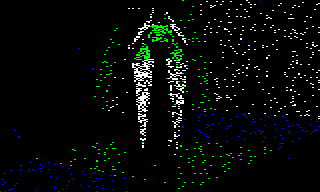
Once the landscape has been generated and the game has started, there is still a need for random numbers. The seed generator is still useful for pumping out random numbers for use in the game itself, and there's another, much simpler pseudo-random number generator that's used to generate random graphical effects, like the dithering in the game over screen above.
We'll take a look at both of these methods here, starting with the landscape seed generator.
Using landscape seeds for gameplay
----------------------------------
Once the landscape has been generated, we don't need the seed generator to be reliably repeatable anymore; indeed, because there's still a need for random numbers during gameplay, we actually need a generator that is not predictable or reliable, otherwise the game would never change.
That said, there isn't a great deal of randomness in the actual gameplay. In fact, the only time that we need a random number is when we spawn objects in the following circumstances:
- When an enemy expends energy onto the landscape by spawning a tree in a random place, then the spawning process uses seed numbers to work out where to place the tree (see the SpawnObjectBelow routine).
- When the player performs a hyperspace, then the same spawning process is used to move the player to a random spot in the landscape (see the SpawnObjectBelow routine).
- When a new object is created by either the player or an enemy, then the new object's yaw angle is determined by a random seed (see the SpawnObjectOnTile routine).
Outside of these specific spawning events, everything else in the gameplay is scheduled, predictable and non-random (if you ignore the less predictable nature of the player's rather more human actions).
To ensure that the seed generator's linear feedback shift register starts to produce more unpredictable random numbers rather than a continuing sequence of predictable seeds, the game calls GetNextSeedNumber at the start of the MoveOnToNextEnemy routine. It ignores the seed number that is generated, but this process means that every time we apply tactics to an enemy, the shift register moves on to the next pseudo-random seed, and because the game applies tactics to all eight enemies, with one enemy being processed in each gameplay loop (even if that enemy isn't actually present in-game), it doesn't take long for the sequence to end up in a fairly unpredictable state. See the deep dive on enemy tactics for more about the application of tactics to enemies.
There is one more use of the seed generator, but it occurs during the game over sequence, after the game has ended. The sound processor routine at ProcessSound fetches the next seed and uses it as the sound counter for the decaying white noise sound effect on the game over screen. This randomises the length of each white noise burst, so the decaying sound combines a lowering pitch with a random white noise effect. See the deep dive on sound effects for more details.
Linear congruential generator
-----------------------------
There is a second pseudo-random number generator in The Sentinel, but it is only used for graphical effects. The GetRandomNumber routine generates these random numbers, which are used in the following places:
- DitherScreenBuffer uses random numbers to choose which pixel to dither onto the screen when drawing or removing objects (see the deep dive on dithering to the screen for more details).
- DrawRandomDots uses random numbers to choose coordinates for drawing dots, such as the title screen stars drawn by DrawStars, or the black dots that are used to fade the screen to black in the DrawBlackDots routine (see the deep dive on drawing the title screens for more details).
- UpdateScannerNow uses random numbers to draw a TV static effect in the scanner when the player has been spotted by an enemy (see the deep dive on the scanner for details).
The pseudo-random number generator implemented in GetRandomNumber is extremely simple. The current state of the generator is stored in a 24-bit number at randomGenerator, and the GetRandomNumber routine extracts a random number from this generator by simply returning the high byte of the current state from randomGenerator+2 (though some of the routines above also access the middle byte at randomGenerator+1 without calling GetRandomNumber).
The algorithm for generating a new random number is also simple: we generate a new random number by taking our 24-bit generator in randomGenerator(2 1 0) and adding it to itself but shifted left by two places. So on each iteration we do the following:
randomGenerator(2 1 0) += randomGenerator(2 1 0) << 2
We then return the high byte of randomGenerator(2 1 0) as the next random number, and that's it. The only other step is to make sure the generator is initialised properly; this is why the initial value of randomGenerator(2 1 0) within the game binary is set to 1, as otherwise the generator would produce nothing but zeroes.
Needless to say, this is not a very good pseudo-random number generator, but it suffices for graphical effects. Technically speaking, it's a specialised form of a linear congruential generator, which looks like this:
X(n + 1) = (a * X(n) + c) mod m
In this particular generator, the constant (c) is 0, the multiplier (a) is 4 and the modulus (m) is &1000000. Because c is zero, the correct name for this variant is a multiplicative congruential generator.
For a discussion of the properties of this kind of generator, see the Wikipedia article on linear congruential generators, and in particular the section that talks about m being a power of 2 with c = 0.