How interrupt-based timers and state variables control enemy tactics
The enemies in The Sentinel are like clockwork, and they never forget. It doesn't matter how busy the player is; the sentries and the meanies and the Sentinel work on a schedule, and nobody gets in the way of it. It's part of the reason why the game can be so harrowing; the enemies are relentless.
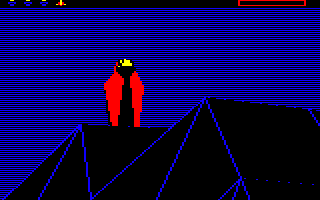
Not surprisingly, the enemies do work like clockwork, because everything they do is controlled by an interrupt-based timer system, so even if the main loop is busy updating the screen or processing gameplay logic, the timers tick down in the background, independent of the game's activity. And each enemy has its own set of state variables that stores its state, so once they've spotted you, they won't let go.
The use of these state variables and timers during gameplay is explored in detail in the deep dive on enemy tactics, but for this article we'll stick to explaining how these vital elements are stored.
Enemy state variables
---------------------
Each landscape can have up to eight enemies (including the Sentinel). These are given object numbers in the range 0 to 7; specifically, the landscape generation process puts the Sentinel in object #0 and the sentries in objects #1 to #7 (see the deep dive on adding enemies and trees to the landscape for details).
Each of those enemies has a state that is stored across a number of variables. These variables have eight bytes each, one for each enemy, where the value for a particular enemy is indexed by the enemy's object number (so the Sentinel's state is always stored in the first byte in each of these eight-byte blocks, at index 0, and the sentries' states are stored from index 1 onwards).
The deep dive on enemy tactics talks about how these variables are used throughout the gameplay code, but here's a summary:
| Variable | Description |
|---|---|
| enemyDrainScan | Controls whether the enemy will perform a scan for a drainable object, like an exposed boulder or a tree on top of another object, the next time we apply tactics.
|
| enemyEnergy | Contains the enemy's stored energy level. If an enemy has a non-zero energy level, it will try to expend that energy on the landscape by creating a tree. |
| enemyFailCounter | If an enemy searches for a tree to turn into a meanie to attack a target enemy on its behalf, but it can't find a suitable tree, then this counter is incremented so we stop trying after too many failed attempts. |
| enemyFailTarget | If an enemy searches for a tree to turn into a meanie to attack a target enemy on its behalf, but it can't find a suitable tree, then the target object number is stored here so the enemy doesn't try looking again for this target. |
| enemyMeanieScan | Contains a counter that works through all the object numbers as we scan the objects from last to first for a tree to turn into a meanie, so we can pick up the scanning from this point if we find a tree that would be suitable for turning into a meanie, but that we can't safely update on-screen at this point. |
| enemyMeanieTree | Records whether the enemy has turned a tree into a meanie; if it has, bit 7 is clear and this contains the meanie's object number.
|
| enemyTarget | The object number of the enemy's target. |
| enemyVisibility | Records the visibility of the enemy's target.
|
The meanie-related variables can be reset by the ResetMeanieScan routine. This resets the data stored for any meanie scans that the enemy has tried in the past, so we can start looking with a clean slate.
Alongside these state variables are the gameplay timers, which are also stored at the individual enemy level. Let's look at those next.
Interrupt-driven timers
-----------------------
There are three gameplay timers in The Sentinel, and each enemy in the game has its own set of three timers that count down independently of each other. Enemies are either sentries or The Sentinel, and there are up to eight enemies in each landscape that are added at the start of each game; there is always one Sentinel, plus zero to seven sentries (see the deep dive on adding enemies and trees to the landscape for details).
Meanies are special, in that they are spawned by enemies when the enemy can only partially see the player. In this case the enemy hunts for suitable tree to turn into a meanie, but this meanie isn't treated as an enemy with its own gameplay settings, it's more of a tool for the parent enemy to control, so it still uses the parent's timers.
Here are the three timers, each of which contains eight bytes, one for each enemy, that stores the timer values (which can be in the range 0 to 255):
| Variable | Description |
|---|---|
| enemyDrainTimer | Controls the rate at which an enemy will drain energy from a targeted robot. Draining from robots is disabled if the timer is zero, and draining only happens when the timer has counted down to 1. This is used to implement the 7.14 second pause from when an enemy spots the player to when it starts draining energy. |
| enemyRotateTimer | Controls the rate at which the enemy rotates, by applying the enemy yaw step to the rotation every time the timer counts down. |
| enemyTacticTimer | Controls the rate at which we apply tactics to that enemy, so that tactics are only applied when the timer has counted down. |
The use of these timers to implement gameplay is covered in the deep dive on enemy tactics.
To set a timer counting down, we simply set the timer to a value greater than one. The timer will then decrement every 0.06 seconds until it reaches one, at which point it stops counting and stays set to one. The gameplay code can check the values of timers that it has set to see if they have counted down to one, and can then make decisions based on the results.
If a timer is set to zero then this denotes that it is not in use; this is distinct from a value of one, which indicates that the timer is in use but has finished counting down. All the timers are zeroed by the ResetVariables routine.
The rate at which counters count down is close to 16 ticks per second (16 ticks actually takes 16 * 0.06 = 0.96 seconds).
The timers are processed by the UpdateEnemyTimers routine, which is called 50 times a second by the interrupt handler at IRQHandler, but only when bit 7 of activateSentinel is clear. This will be the case once the game has started, so that's after the player has expended or absorbed energy, or performed a hyperspace or U-turn. You may notice that when you start a new landscape, the Sentinel's rotation noise kicks in pretty quickly once you've performed any of these actions; that's the effect of the UpdateEnemyTimers routine being called and counting down the Sentinel's enemyRotateTimer.
The timer count rate of 0.06 seconds is implemented in UpdateEnemyTimers using the updateTimer variable, which works as follows:
- If updateTimer is zero then all active timers are decremented by the routine, simply by looping through all 24 bytes and decrementing any that are two or greater. The value of updateTimer is then reset to two.
- If updateTimer is non-zero then we decrement updateTimer and return to the interrupt handler without processing any timers.
The update timer therefore loops through the values of 2, 1 and 0 and only updates the timers on the last one, so this means we decrement the timers on one out of every three calls to the UpdateEnemyTimers routine. IRQHandler performs its actions 50 times a second, so this means the counters tick down at a rate of 50 / 3 = 16.7 times a second, or once every 3 / 50 = 0.06 seconds.
This means that setting an enemy timer to a value of n means it will count down in 3 * (n - 1) / 50 = (n - 1) * 0.06 seconds (it's n - 1 rather than n because the timer counts down to one rather than zero). To be totally accurate, there is a slight bit of randomness about this because the length of the first timer tick depends on the value of updateTimer at the time that the timer is set, so the length of the timer is actually somewhere between (n - 1) * 0.06 and (n - 2) * 0.06 seconds, but for simplicity I've stuck to (n - 1) * 0.06 in the documentation.
Here are some examples of gameplay timers:
- When adding an enemy to the landscape during the landscape generation process, we fetch the next number from the landscape's sequence of seed numbers, and then set the enemy's tactics timer in enemyTacticTimer to the seed number, converted into the range 5 to 63, so this sets the timer to somewhere between 4 * 0.06 = 0.24 seconds and 62 * 0.06 = 3.72 seconds. In this way the different enemies start to implement their tactics at different times; see the deep dive on adding enemies and trees to the landscape for more about this process.
- When an enemy's rotation timer runs down, part 6 of ApplyTactics rotates the enemy by applying the enemy yaw step to the enemy object's yaw angle, and then the timer in enemyRotateTimer is reset to 200. This means we wait for 199 * 0.06 = 11.94 seconds before rotating the enemy again.
For lots more about how the timers control enemies, see the deep dive on enemy tactics.